
Searching Cases by Name
The official eCourt Kokua gateway is the public door into JIMS for a Hawaii County case search. Accept the disclaimer and the security check first. Person Search is the tool to use there. First and last name are required, while middle name, filing dates, case type, phonetic matching, and partial matching can narrow or widen the results.
- Choose Person Search and enter the required last and first names.
- Add a middle name, filing range, or Third Circuit case type when too many matches appear.
- Use phonetic search for uncertain spelling or partial search for an incomplete name.
- Inspect the party list, select the matching Party ID, and open the related case.
- Confirm the court, Case ID, case type, filing date, and status before reading the docket.
A name match proves very little by itself. The Judiciary warns that name-only results do not establish identity. Confirm the correct public record using facts from the known case, above all its court and Case ID.
| Field label | Type | Required | Notes |
|---|---|---|---|
| Last Name | Text | Yes | Used with First Name in person search |
| First Name | Text | Yes | Enter the person's first name |
| Middle Name | Text | No | Helps narrow common-name results |
| Filing dates | Date | No | Uses DD-MON-YYYY format |
| Case Type | Select or autocomplete | No | Choose the Third Circuit type if known |
| Phonetic or Partial | Checkbox | No | Choose based on uncertain or incomplete spelling |
Hawaii County Person Search Paths
The current Hawaii County case search interface offers more than one name path. Person Search handles individuals. Company Name Search handles organizations. Party ID Search uses the unique identifier JIMS assigns to a party, and that number earns its keep once the same person or company shows up in more than one matter. Desktop access covers the two newest major versions of Chrome, Firefox, Safari, and Chromium Edge. Phones may work, with limits. The system is scheduled Monday through Saturday from 4:00 a.m. to midnight Hawaii Standard Time, and Sunday from noon to midnight. A Sunday morning failure? That is usually the access window rather than a missing case. Changes appear only after entry into JIMS. Yet an event can occur before staff finish entering it. Read time-sensitive results with the latest filed notice. Call the clerk when a Hawaii County record looks incomplete.
Searching by Case Number
An exact Case ID is the most reliable Hawaii County case search key. A modern Third Circuit criminal number may look like 3CPC-26-0000001. Circuit civil may look like 3CCV-26-0000001. The leading 3 identifies the Third Circuit. The letters that follow name the court and case type before the year and sequence. Some searches let you drop leading zeroes, but never strip the circuit digit. Type the Case ID into the case search path. Check the header before moving into parties or docket entries. A valid number can still pull the wrong matter if it was copied incorrectly, so match the caption, filing date, court, and case type against the known paperwork. Traffic citations may take at least thirteen days to reach the online system. That upstream delay is not a court record disappearing. Do not let a portal delay cost you a citation response date. Use the citation instructions. Contact District Court when needed.
Hawaii County Legacy Case Conversion
Older Hawaii County case numbers may need conversion before JIMS accepts them. The Judiciary's own example turns 3PC-15-1-123 into 3PC151000123. Hyphens come out. The sequence gets padded to the required twelve-character entry. Very old migrated identifiers can carry only one to five digits, so a guess fails easily. Use the conversion table on the Judiciary system page. Keep the Third Circuit's 3. If conversion still returns nothing, call Circuit Legal Documents in Hilo at 808-961-7400 or Kona at 808-322-8750; District case questions go to Hilo at 808-961-7515, Kona at 808-322-8700 or 808-322-8703, or South Kohala at 808-443-2030.
Old number missing? Convert it with the Judiciary table before deciding that the Hawaii County case is absent.
What a Case Search Returns
A Hawaii County case search walks from the case header into parties, docket events, hearings, outcomes, and financial details wherever those fields are public. Status shows the current stage of the case. It does not replace a claim-level or count-level disposition. The chronological docket lists every document filed and each action taken in court.
| Case ID | The Third Circuit court, case type, year, and sequence identifier. |
|---|---|
| Caption and parties | The public case title, party roles, names, Party IDs, and counsel when shown. |
| Case type and filing | The category, filing date, assigned court, and current status. |
| Docket | Dated event codes, descriptions, filed items, court actions, and a PDF icon when an image is offered. |
| Hearings | Date, time, courtroom, location, and presiding judge for public settings. |
| Outcome | Dispositions, judgments, sentences, satisfaction, or closure data as the case permits. |
| Financials | Assessments, receipts, transactions, balance, and traffic alerts when applicable. |
Read past the first entry that catches your eye. A motion to dismiss is only a request, and it stays one until a later order or disposition grants it.
Hawaii County Docket or Document
Searching the docket is free. Reading it costs nothing. A document image is a different product. A PDF icon beside an entry means a public image can be purchased online, not that the download is free. A missing icon can mean the image sits outside remote coverage, is not digitized, or is available only through another access channel. Public kiosks give free on-screen viewing. Hale Kaulike has terminals near first-floor Legal Documents and in the second-floor Law Library. Keahuolu Courthouse does too. Printing, clerk copies, and certification may carry charges. Anyone who needs a full file or a certified copy should use Legal Documents or HCRR Form 3 rather than keep repeating a portal search. The Judiciary Electronic Filing and Service System, or JEFS, is the filing and service layer for attorneys and approved self-represented parties. Eligible parties should use JEFS access for their own open cases. A public document subscription is not a filing account.
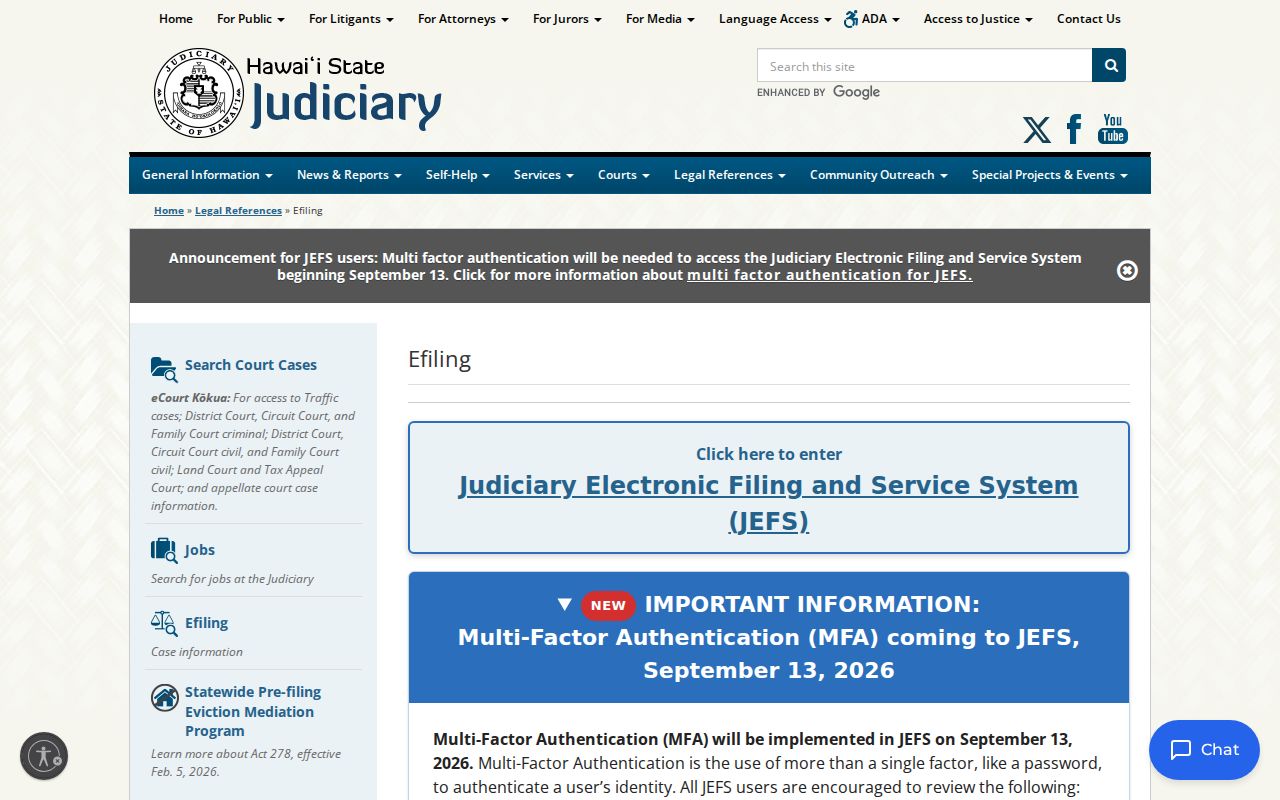
Public lookup and electronic filing are two separate systems here. eCourt Kokua handles the search side, so a public docket user never needs an e-filing account to view Hawaii County case information.
Statewide vs County Case Search
Hawaii County runs no case portal of its own. eCourt Kokua serves as both the statewide search and the main Hawaii County case search tool. Clerks at the courthouse still help with records, kiosks, paper files, and copies. They keep no rival county database. Many states split docket searches among elected county clerks. Hawaii takes the opposite approach with one unified court records system.
| Statewide eCourt Kokua | Third Circuit local access |
|---|---|
| Searches public JIMS cases across covered Hawaii courts | Confirms Hawaii County files at Hilo, Kona, or South Kohala |
| Supports name, company, Party ID, Case ID, and hearing paths | Offers clerk calls, counters, public terminals, and file retrieval |
| Shows free docket data and purchasable public images | Provides inspection, ordinary copies, and certified copies |
| Excludes confidential cases and sealed images | Applies the same legal restrictions and cannot waive a seal |
State court case files are not held by the county public-records office. Send any Hawaii County court record request straight to the Hawaii State Judiciary office that keeps the case.
Hawaii County Party ID Checks
Party ID keeps similar names from blending together. JIMS gives each party a unique number. You can pick that identifier from the search results before opening the linked case list. Treating every result that shares a first and last name as one person is far less reliable.
Start from what you already know about the case. Check the caption, the Third Circuit location, the filing date, the case type, and the listed role. Match them against your facts. If anything fails to line up, go back to the result list. Phonetic search catches names that sound alike but are spelled differently, while partial search works when your text is incomplete. Neither mode confirms identity.
Companies work the same way. Search the entity name, then verify the case header and role. Party ID can link repeat appearances to a single JIMS entity, though the court record still deserves a careful read in context.
Access and Restricted Cases
Hawaii Court Records Rules and court orders draw the limits of any Hawaii County case search. Juvenile records stay out of public results. Confidential Family Court matters involving minors appear neither in search results nor in Upcoming Court Hearings. Sealed images stay unavailable, and adoption plus other protected files follow their own access routes.
A docket may still list a sealed or confidential document without revealing its contents. That entry is not a missing file. It marks an access boundary. HCRR Rule 10.4 governs which access classes are authorized. Rule 9 protects personal information inside filings. A clerk cannot lift confidentiality over the phone. Submitting HCRR Form 3 by itself creates no right to a sealed record.
Online image coverage has cutoffs too. District civil images before October 7, 2019, Circuit civil before October 28, 2019, Land and Tax before November 18, 2019, and Family civil before April 25, 2022 may lack remote documents even where the docket exists. For public material past those limits, use a kiosk, the counter, or a written request.
Hawaii County Search Fallbacks
When a Hawaii County case search comes up empty, work the access chain in order. Check spelling first. Then try the exact, phonetic, and partial name tools. Use Party ID next, or convert a legacy Case ID. Confirm the system hours. After that, call the right Third Circuit clerk. Ask whether the file is public, older, off site, or beyond online image coverage.
A trip to the courthouse adds free public terminal viewing. It also adds counter access. Files more than five years old may sit in off-site storage. Call before you drive. HCRR Form 3 covers inspection or copies with pickup, mail, fax, or email delivery, subject to the record and any charge. Circuit Legal Documents holds felony, major civil, probate, guardianship, and Circuit Family Court records. District clerks handle misdemeanor, traffic, small claims, summary possession, and other District matters.
A blank portal result can stem from search format, access limits, case age, or plain timing. Run the clerk chain before concluding anything.